Your numbers. Your next step.

Make a clearer
mortgage decision.

Choose one calculator and its guide, or get all three in a focused bundle. Start with the question you want to answer.

All three, together

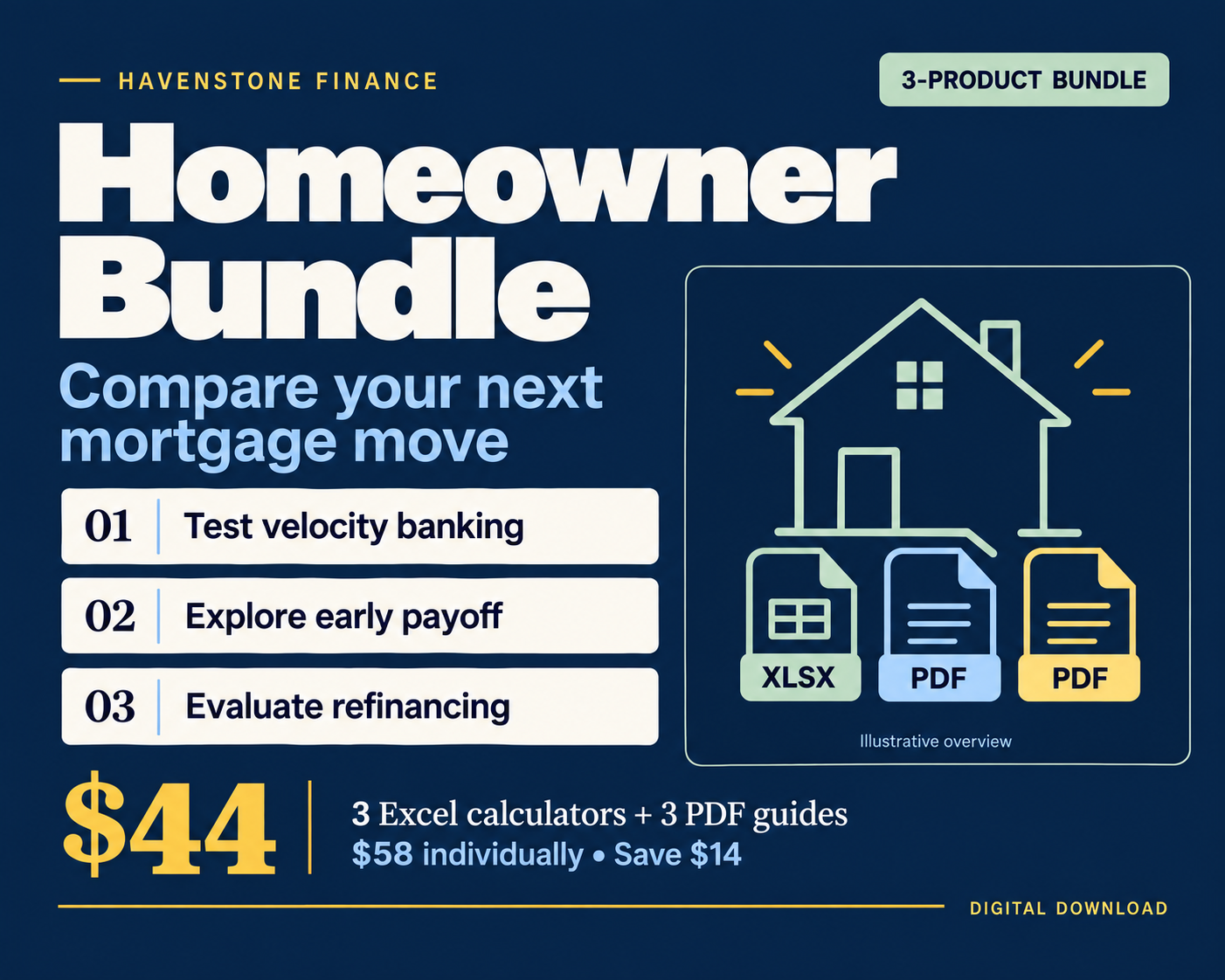
Homeowner Bundle

3 Excel calculators + 3 PDF guides

$44

$58 separately · Save $14

See the bundle ↓

Start here

What is velocity banking?

It uses a line of credit to make larger mortgage payments, then directs cash flow toward repaying that credit line. Moving debt does not erase it. The useful question is whether the added borrowing costs and complexity improve on making extra payments directly. Our Reality Check helps you explore that comparison.

01 / Excel calculator + PDF guide

Velocity Banking Reality Check

Heard about velocity banking? Start with the numbers.

Explore a line-of-credit strategy alongside direct extra mortgage payments using the same available surplus. See the mortgage and credit-line balances together.

  • Traditional mortgage, extra-payment, and credit-line comparisons
  • Monthly balances, modeled interest, and payoff timing
  • Companion guide explaining the strategy and its tradeoffs
Understand the model’s limits

Uses monthly interest estimates. Actual lender interest, fees, payment timing, and credit availability can differ.

$24

One-time purchase in USD · Desktop Excel · Applicable tax added at checkout
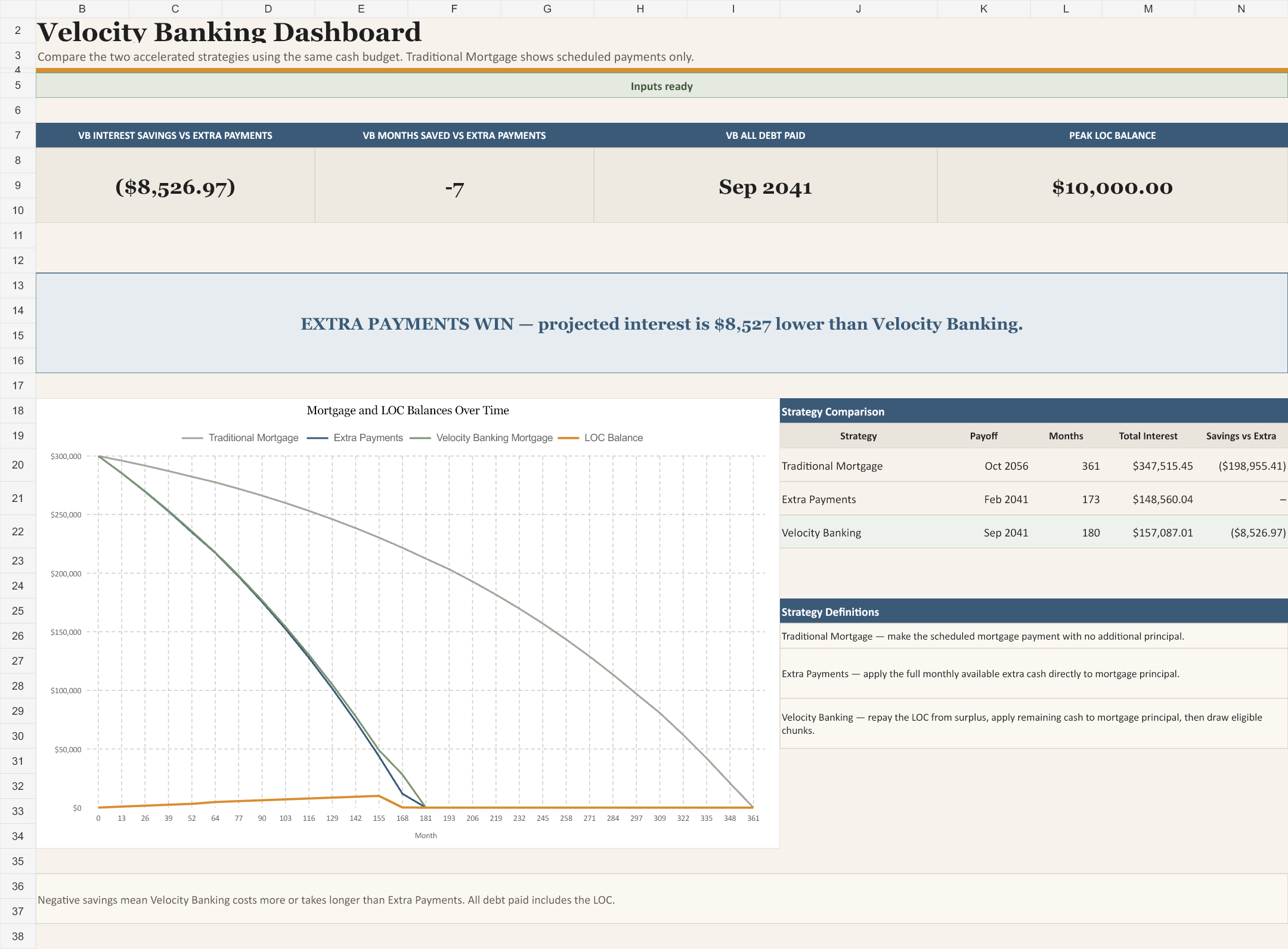
Velocity Banking Reality Check workbook preview with fictional sample data
Actual workbook preview · Fictional sample data
Open image to inspect the details ↗
02 / Excel calculator + PDF guide

Mortgage Payoff Optimizer

What could your extra payments change?

Explore monthly extras, lump sums, payment rounding, biweekly payments, and a combined plan. Compare the cash commitment behind each scenario.

  • Compare payment amounts and timing
  • Review projected interest and payoff dates
  • Follow schedules and custom payment scenarios
Understand the model’s limits

Strategies can require different cash commitments. Forecast limits and incomplete payoffs are identified in the workbook; lender posting rules may differ.

$19

One-time purchase · Desktop Excel · Applicable tax added at checkout

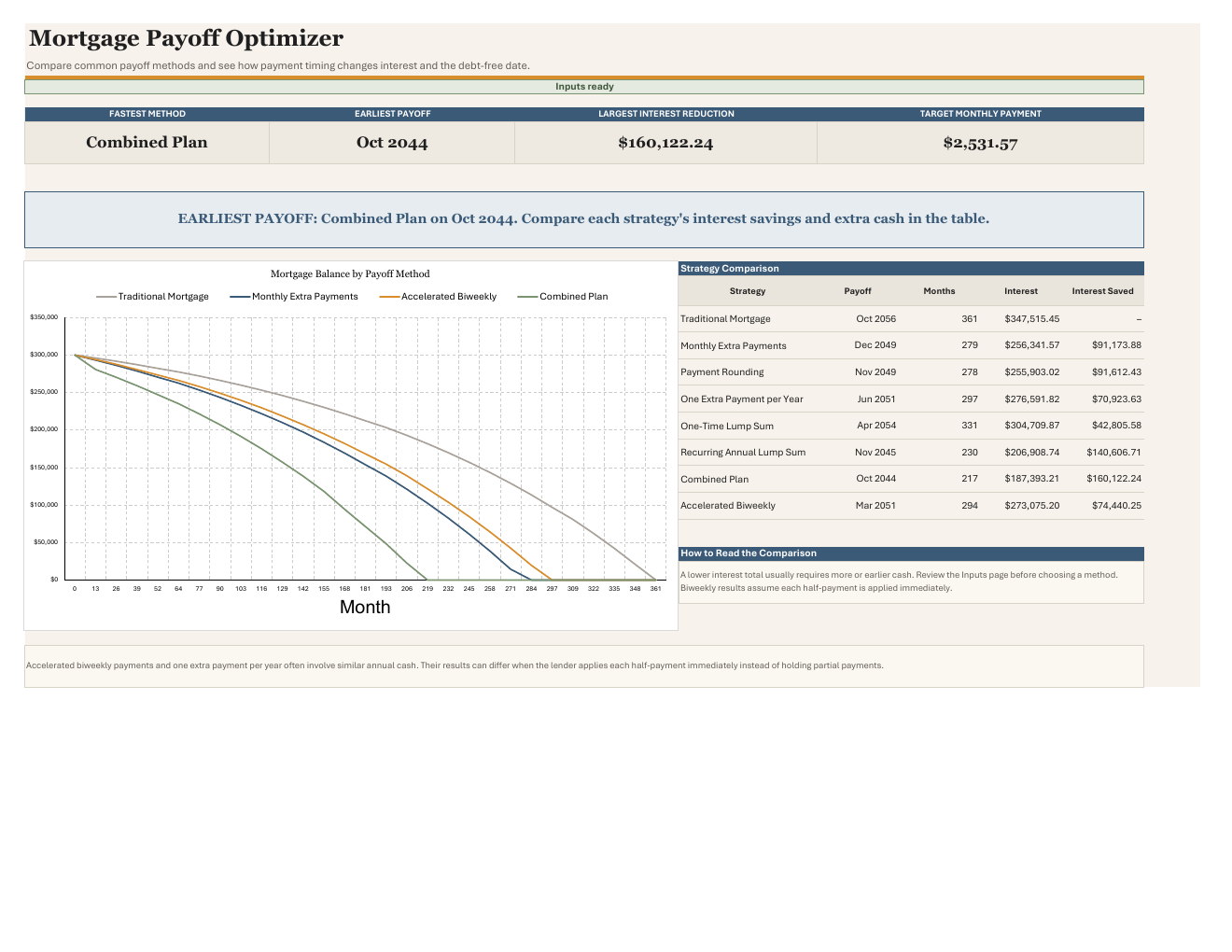
Mortgage Payoff Optimizer workbook preview with fictional sample data
Actual workbook preview · Fictional sample data
Open image to inspect the details ↗

03 / Excel calculator + PDF guide

Should I Refinance Calculator

Look beyond a lower monthly payment.

Weigh closing costs and a new loan term against how long you expect to keep the mortgage. Compare your current loan with a proposed refinance.

  • Cash-paid or financed closing costs
  • Break-even and expected-horizon comparisons
  • Payment changes and modeled financing costs
Understand the model’s limits

Use contractual interest rates, not APR. Compare assumptions with your lender’s Loan Estimate. Some lifetime comparisons are unavailable when the forecast does not reach payoff.

$15

One-time purchase · Desktop Excel · Applicable tax added at checkout

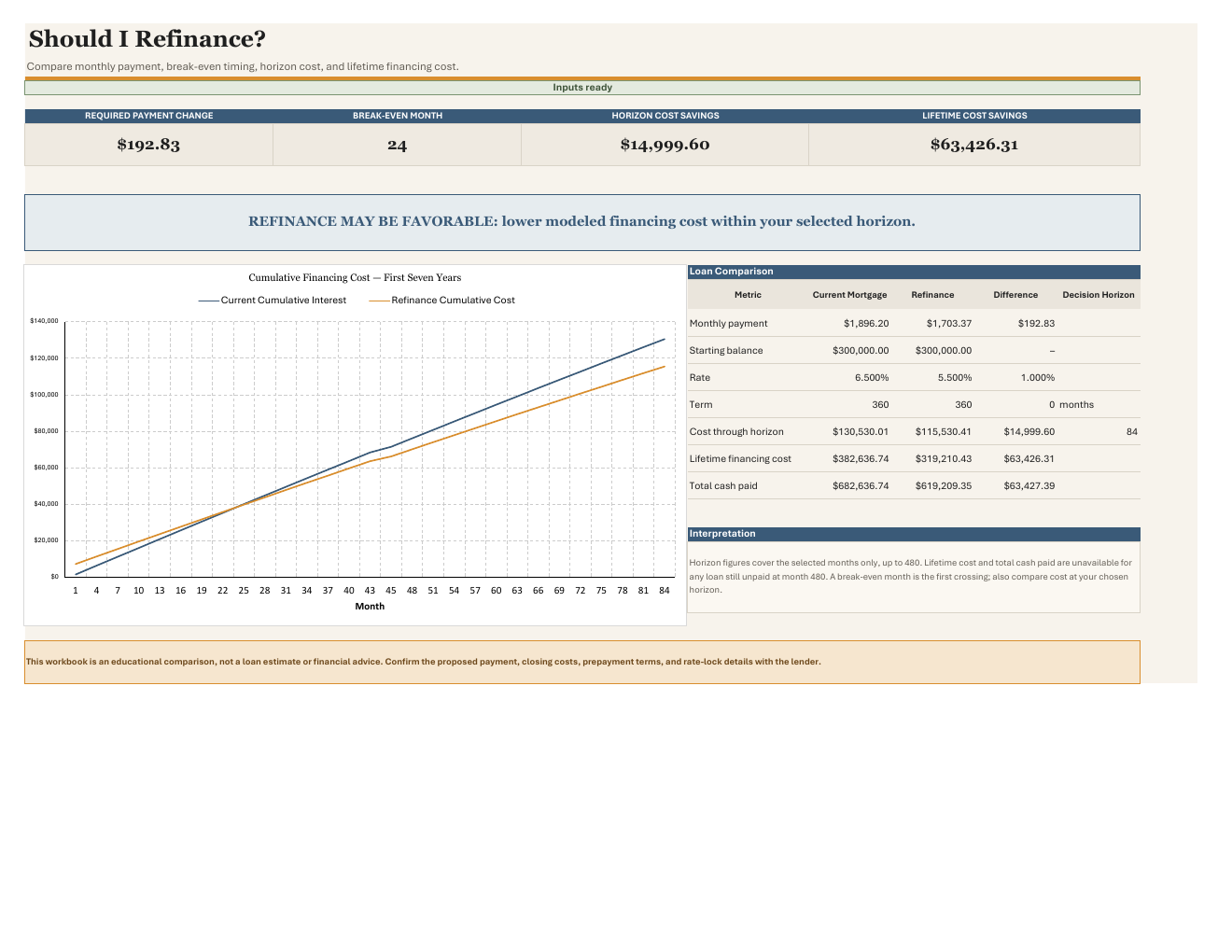
Should I Refinance Calculator workbook preview with fictional sample data
Actual workbook preview · Fictional sample data
Open image to inspect the details ↗
Homeowner Bundle: three calculators and three guides for $44

A focused collection

Homeowner Bundle

Work through connected decisions with three separate calculators and their companion guides.

  • Velocity Banking Reality Check
  • Mortgage Payoff Optimizer
  • Should I Refinance Calculator
$44

Save $14 versus $58 when purchased individually.

One-time purchase in USD · ZIP with 3 Excel files + 3 PDFs · Applicable tax added at checkout

Before you buy

A few useful answers.

What do I receive?

Each individual product includes one Excel workbook and one companion PDF guide. Each bundle includes three workbooks and their three guides. These are digital downloads; no physical items are shipped.

What software do I need?

A desktop version of Microsoft Excel and a PDF reader. The calculators have been tested in desktop Excel. Compatibility with Excel for the web, Google Sheets, Apple Numbers, and mobile apps has not been verified.

Can I enter my numbers if the sheet is protected?

Yes. The designated input cells are editable. Formula cells are protected to help prevent accidental changes. Start with the instructions and replace the fictional example inputs.

Do the workbooks share data or connect to my bank?

No. Each workbook is independent and does not connect to your bank. Keep inputs consistent across files and avoid allocating the same cash to debt payments and savings more than once.

Are upgrades included?

Your purchase includes the product version offered at the time of sale. Confirmed product errors will be addressed; future versions and new products are not included or promised.

What is the license and refund policy?

One purchase covers personal use within one household. Resale, redistribution, and professional/client use are not included. Digital sales are final except where applicable law or the checkout provider requires otherwise. See our Terms and Refund Policy.

What if I need help with my download?

Email support@havenstonefinance.com with your order number. You can also report corrupted files or suspected product errors. We do not provide personalized financial advice.

Your selection

Purchase details

One-time purchase in USD. Applicable tax is calculated at checkout.

Questions about this product? Contact our team before purchasing.

Contact purchase support

No order has been placed or payment collected.